API Panel
The API panel is an interactive browser for the HTTP API exposed by the current ArcadeDB server. Pick an endpoint from the left sidebar to see its contract on the right; flip the Try It toggle to send a real request from the built-in playground.
See HTTP API for the full reference.
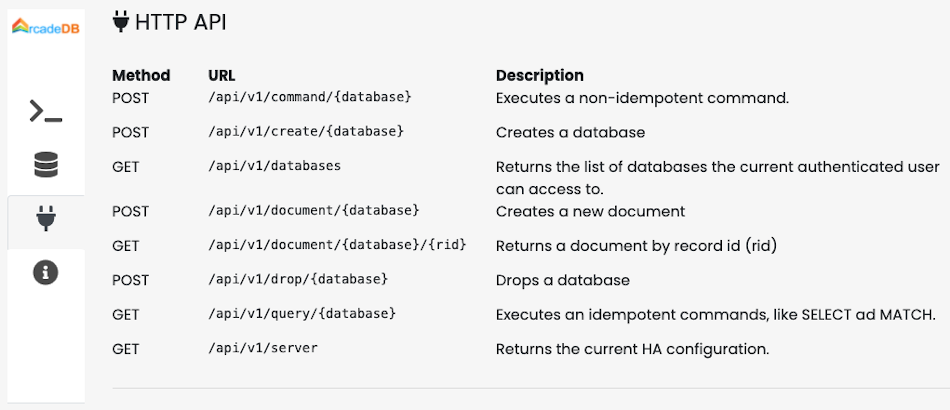
Endpoint sidebar
The left sidebar groups the API surface by topic:
-
Health & Status
-
Authentication
-
Query Execution
-
Commands
-
Data Import
-
Transactions
-
Server Management
-
Database Management
-
TimeSeries
-
Documentation
Each entry shows the HTTP verb badge (GET, POST, PUT, DELETE), the path, and a one-line description.
Clicking an entry loads its detail in the right pane.
Detail pane
For the selected endpoint the right pane shows:
-
The verb and path, the human-readable title and the long description.
-
Badges for Auth required / No auth, and a Full Docs link that jumps to the relevant page in this manual.
-
Path Parameters, Query Parameters and Request Headers tables.
-
The Request Body example (pretty-printed).
-
The Response example with the typical status code, body and optional headers.
-
Implementation Notes — quirks, defaults, references to related endpoints.
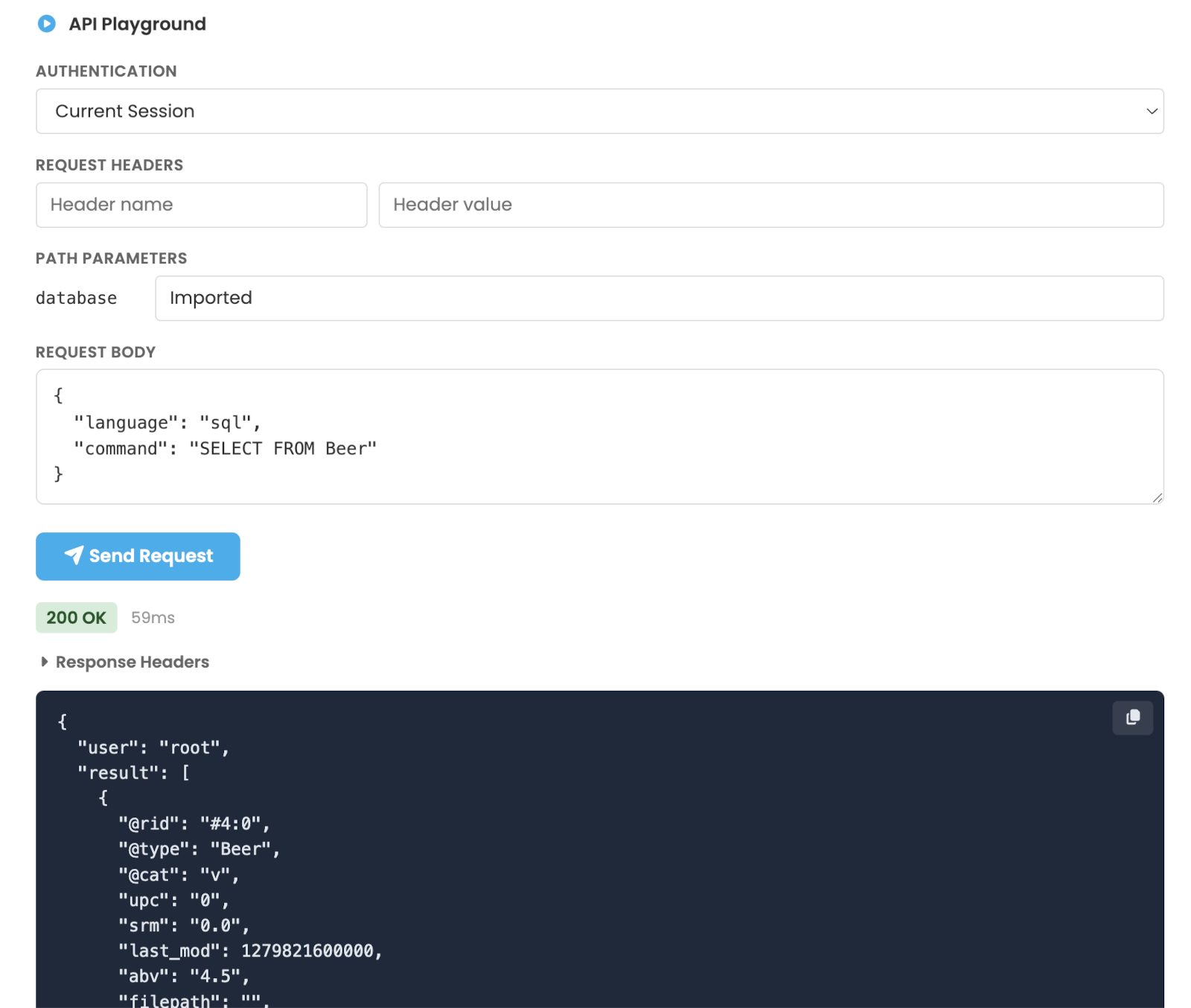
Try It playground
Toggle Try It to reveal a request playground for the selected endpoint:
-
Auth — pick Current Session (reuse the Studio login), Basic (username + password), Bearer (API token) or None.
-
Request Headers — add custom headers.
-
Path Parameters and Query Parameters — inputs are pre-filled with sensible defaults where applicable.
-
Request Body editor with syntax highlighting.
-
Send Request — execute and view the response status, headers (collapsible) and body, with a Copy button.
For transactional flows the playground automatically captures the arcadedb-session-id returned by POST /api/v1/begin/{db} and re-injects it in the following command, commit and rollback calls — so you can walk through a complete transaction without copy-pasting the session header.