Server Panel
The Server panel is the operational console for the ArcadeDB server itself: health summary, live metrics, active sessions, events, server-wide settings, automated backups and MCP integration.
The header shows a server info label (click it to open a popover with version, JVM details, host, uptime, etc.) and a Refresh button. A Shutdown button is available under the Cluster tab — see Cluster Panel.
The panel has seven sub-tabs.
Summary
The default sub-tab.
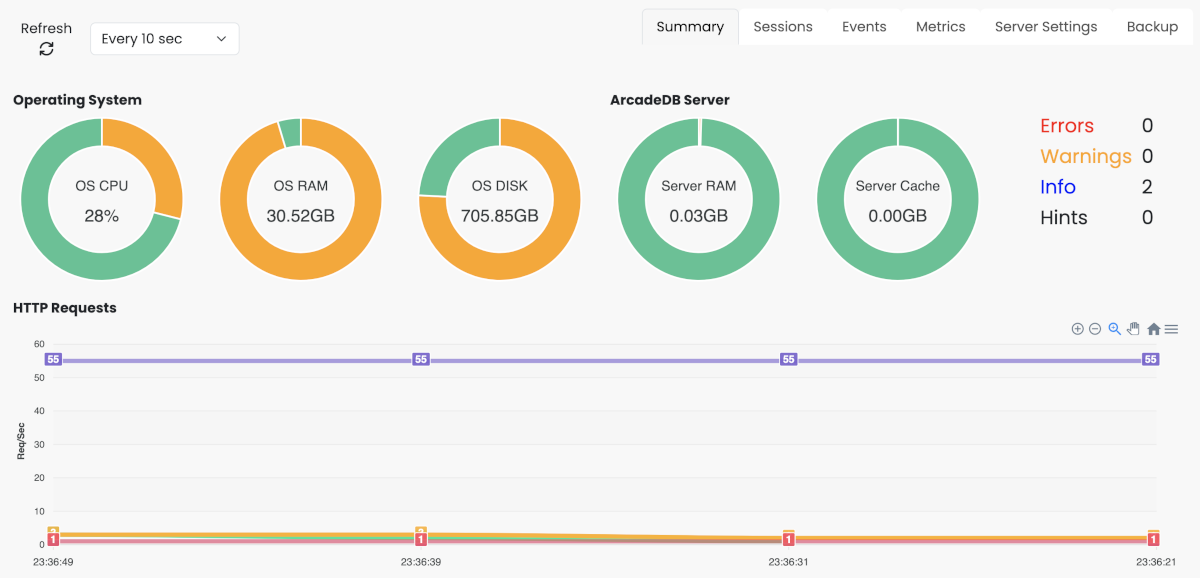
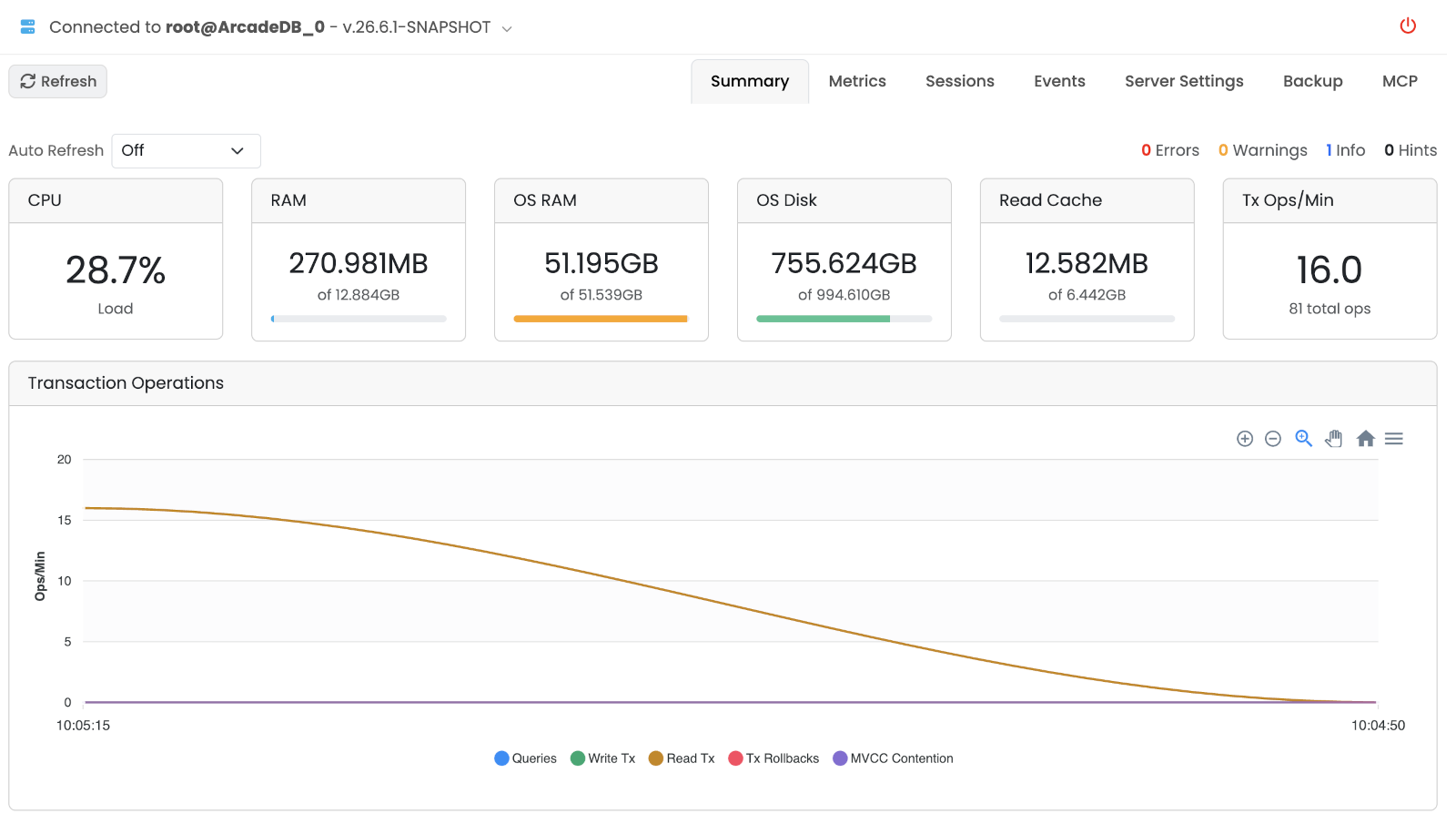
Auto Refresh keeps the page in sync at a fixed interval (Off, 10s, 30s, 1m, 5m).
The top row shows clickable event counters — Errors, Warnings, Info and Hints — that jump straight to the Events sub-tab filtered on that level.
Below them, system-resource cards report:
-
CPU Load of the server process.
-
RAM (used / max) of the JVM, with a progress bar.
-
OS RAM available on the host.
-
OS Disk free on the data directory.
-
Read Cache hit ratio and size.
-
Transaction Ops/Min throughput.
A Transaction Operations chart at the bottom plots ops/min over a rolling window.
Metrics
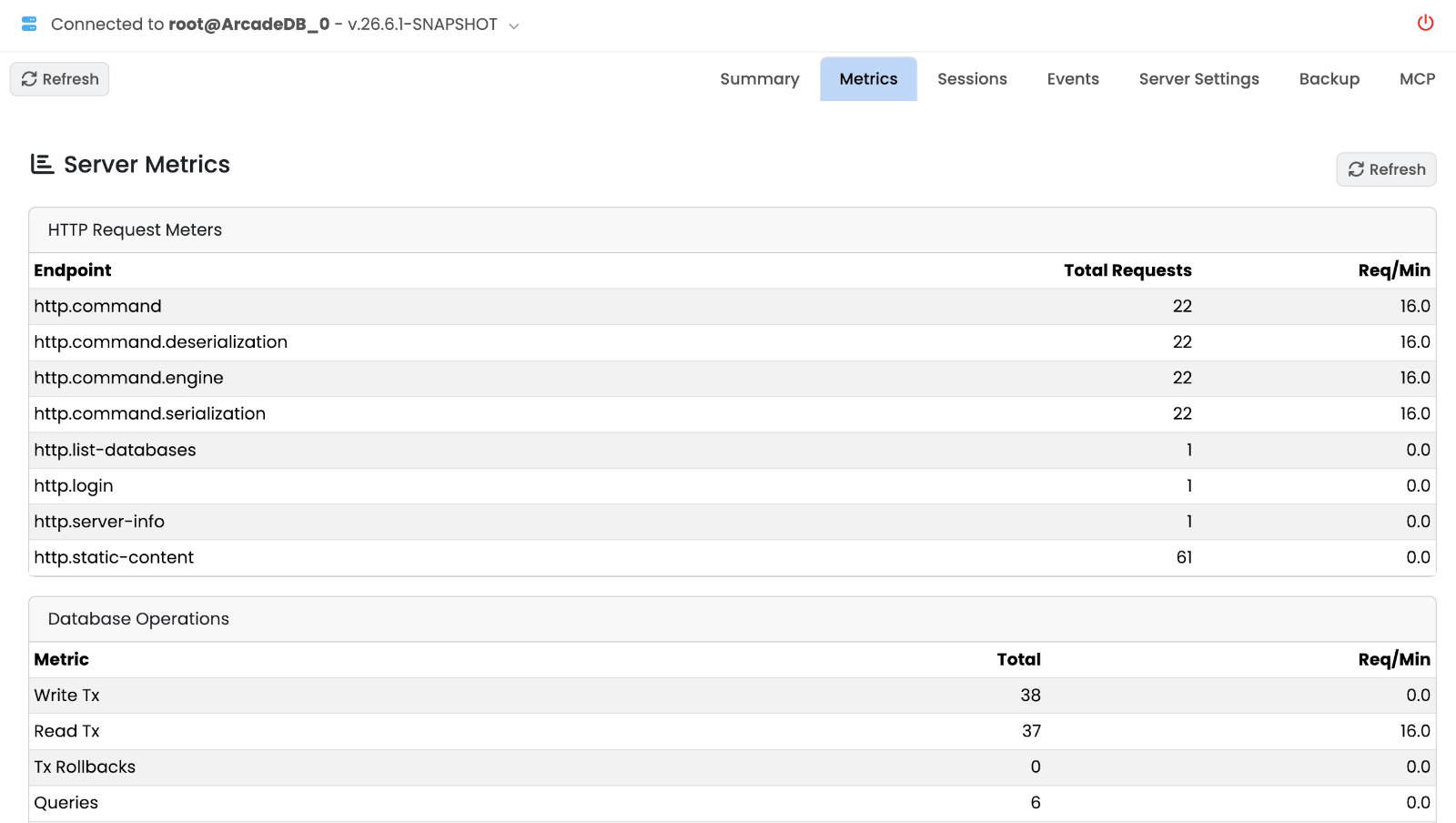
Detailed numeric metrics for the server:
-
HTTP Request Meters — per endpoint, total requests and req/min.
-
Database Operations — per metric, total and req/min.
-
Profiler Details — internal profiler counters.
-
Executor Pools — thread pools (active vs. allocated threads, queue depth, completed tasks, fallbacks, reclaimed).
Two of those columns look similar and mean opposite things. Caller-Run Fallbacks counts tasks that ran on the submitting thread because the pool’s queue was full; sustained growth there means the pool is undersized for your workload and is the signal to raise its size. Reclaimed counts tasks a waiting caller took back and ran itself because the pool was busy rather than full: that is normal, healthy behaviour and needs no action.
-
Sparse Vector Indexes — counters for vector indexes when present.
Sessions
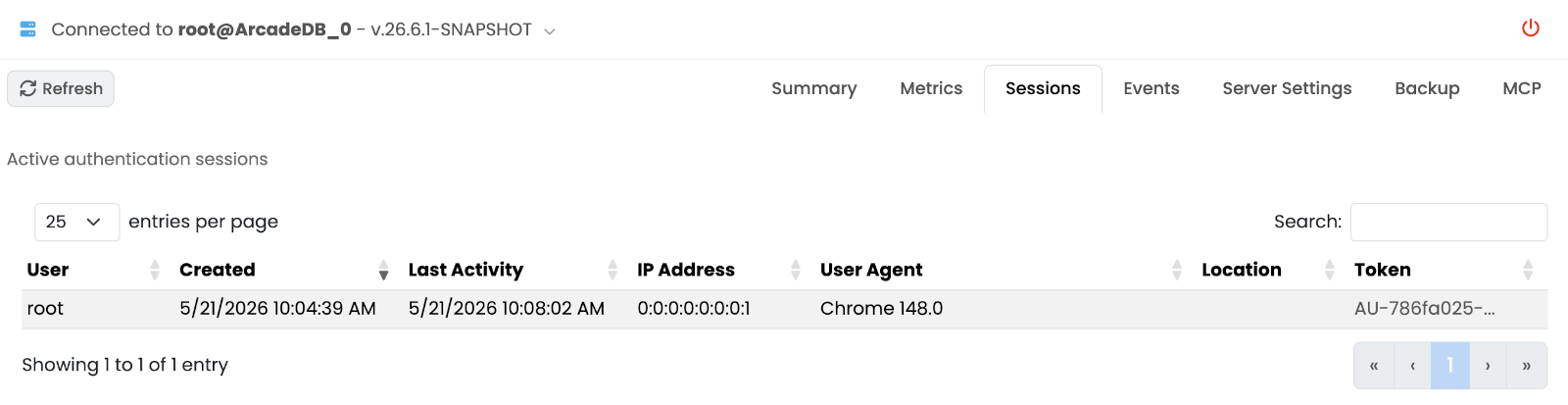
Table of active authentication sessions: user, source, started, last-seen. Use it to spot stale or unexpected connections.
Events
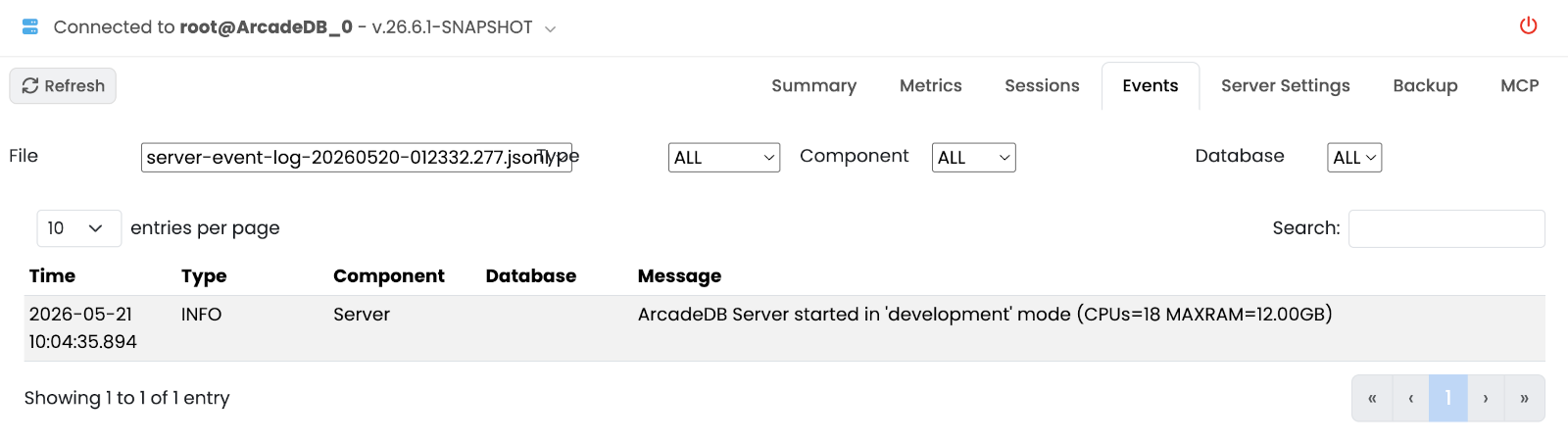
Browsable server event log. Filter dropdowns above the table:
-
File — pick a log file.
-
Type —
ALL,CRITICAL,WARNING,INFO,HINT. -
Component — server subsystem (HTTP, transactions, indexes, …).
-
Database — limit to events scoped to one database.
Each row shows timestamp, level and message.
Server Settings
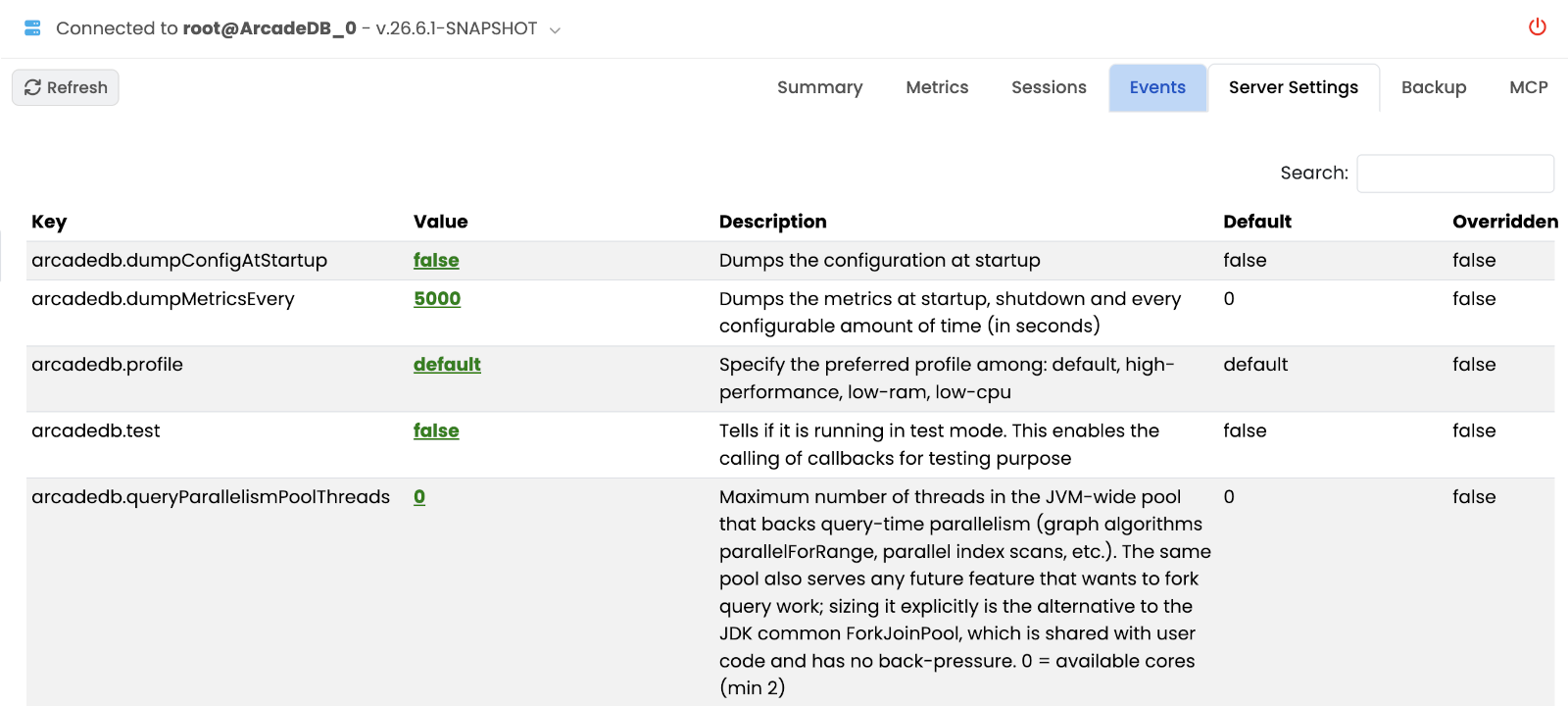
Key-value table of the server-scoped configuration. See Settings for the full setting reference.
Backup
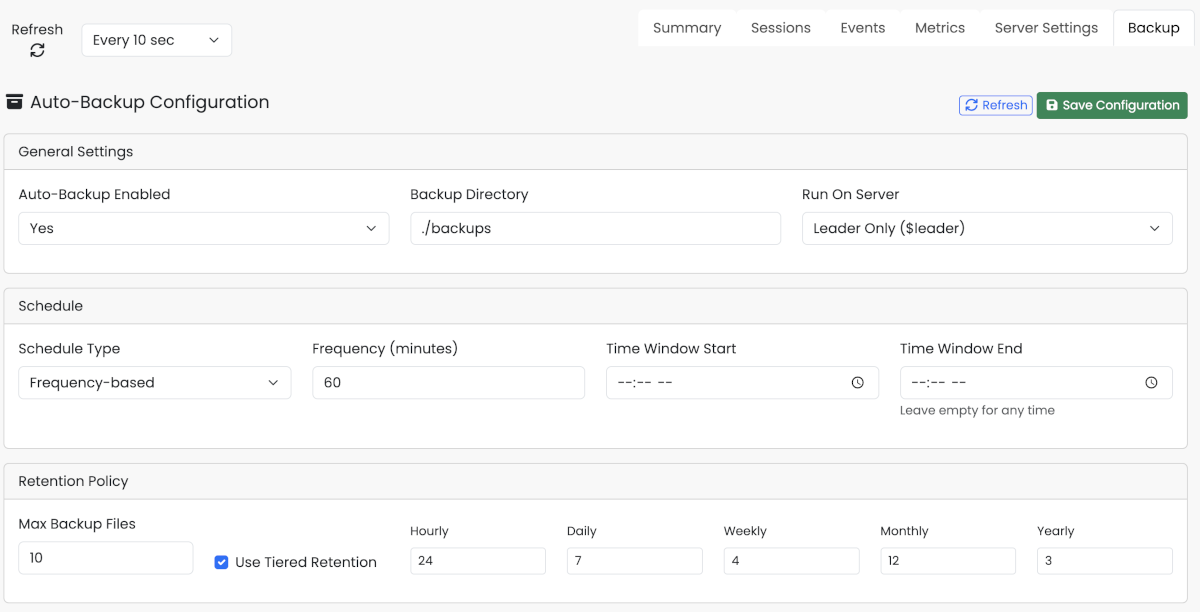
Server-wide auto-backup configuration.
-
Auto-Backup Configuration — toggle to enable or disable automatic backups, set the backup directory, and choose whether backups run on the leader only or on every server in a cluster.
-
Backup Schedule — pick Frequency (every N minutes/hours/days) or a full CRON expression.
-
Retention Policy — Max files (simple ring) or Tiered (per-bucket keep counts: Hourly, Daily, Weekly, Monthly, Yearly).
-
Backup Status — last run, next run, files produced.
See Automatic Backup for the underlying configuration and CLI equivalents. Per-database backup history is managed from the Database › Backup sub-tab.
MCP
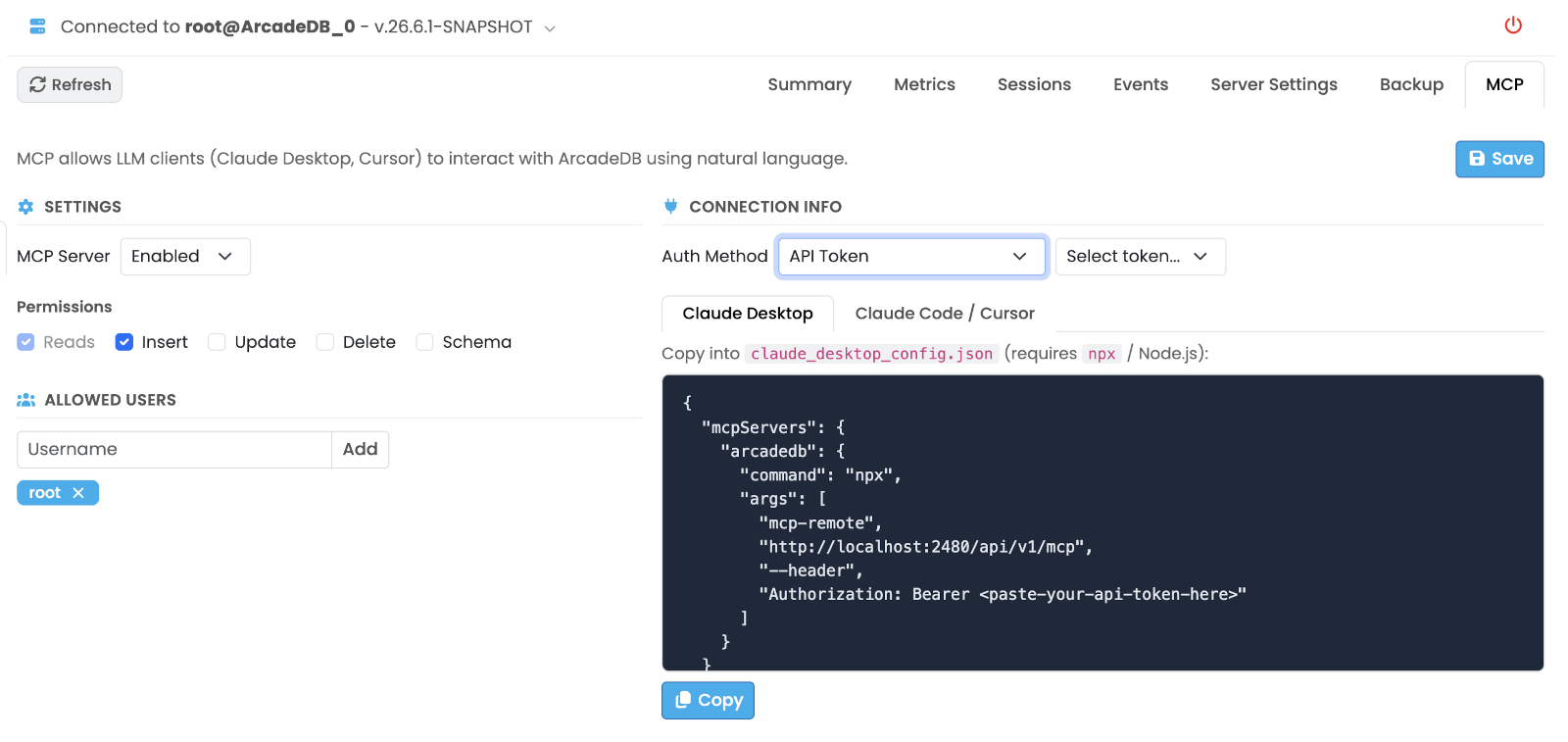
Configures the embedded Model Context Protocol server so AI tools (Claude Desktop, Claude Code, Cursor, …) can talk to ArcadeDB.
The left column controls Settings:
-
Enable or disable the MCP endpoint.
-
Per-operation permissions: Reads, Inserts, Updates, Deletes, Schema.
-
Allowed Users — add or remove users that may authenticate against MCP.
The right column shows Connection Info:
-
Auth Method — Basic auth or API token.
-
Ready-to-paste configuration snippets for Claude Desktop and for Claude Code / Cursor, each with a Copy button.
See MCP Server for the protocol reference.